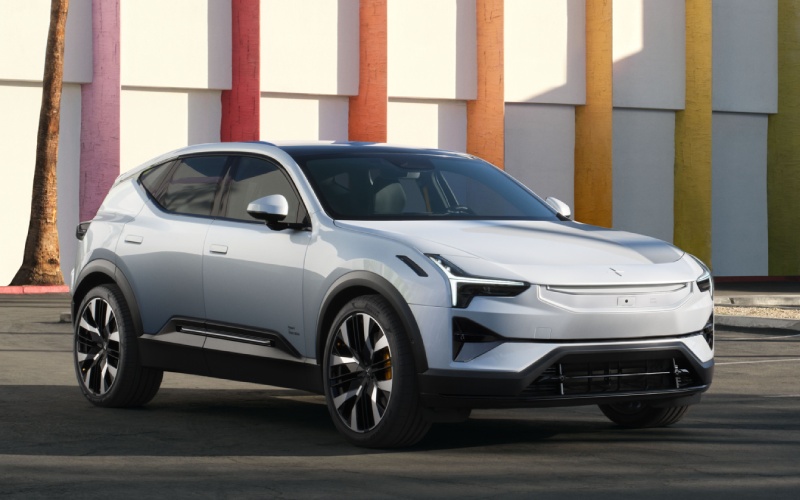
Polestar Scottsdale - Does the 2025 Polestar 3 support Apple CarPlay and Android Auto in Scottsdale, AZ?
The 2025 Polestar 3 integrates the connectivity most drivers expect, with wireless Apple CarPlay available from day one and Android Auto planned to arrive later in 2025. That means you can connect a compatible iPhone without plugging in and keep core smartphone features accessible through the 14.5-inch center display and voice control. When Android Auto becomes available, compatible Android devices will also connect wirelessly to access supported apps and Google Assistant voice commands. This complements Google built-in, which natively powers maps, media, and voice within the car, so your daily routine stays intuitive and hands-free.
In practical terms, the SUV gives you multiple pathways to the same outcome: effortless control of navigation, communication, and music. If you prefer Apple services and Siri, you are covered. If you want the deep integration of Google built-in, that is already onboard with battery-savvy route planning and over-the-air updates. And if you use an Android phone, Android Auto is set to bring your favorite apps into the interface later in 2025. For shoppers who value flexibility, this stack keeps your options open without forcing a single workflow.
- Wireless Apple CarPlay: Connect a compatible iPhone via Bluetooth, mirror key apps, and use Siri for hands-free calls, messages, and music control.
- Android Auto (planned): Wireless Android connectivity is expected later in 2025, enabling app access and voice control via Google Assistant.
- Google built-in: Native Google Maps with battery-aware routing, Google Assistant for hands-free control, and Google Play for in-car apps and updates.
- Driver profiles and Digital Key: Store up to six profiles and sync a Digital Key to supported smartphones for locking, unlocking, and starting the vehicle.
- Over-the-air updates: Receive ongoing software enhancements to infotainment, apps, and vehicle systems without a service visit.
To make the most of your first drive, it helps to arrive with your preferred services in mind. Below is a quick setup flow that ensures you can enjoy your apps and voice features right away.
- Pair your phone: Enable Bluetooth on your device, select the car from your device list, and confirm pairing codes on the center display.
- Enable wireless CarPlay: For iPhone users, accept the CarPlay prompt, and allow permissions for contacts, messages, and calendar if desired.
- Explore Google built-in: Sign in to your Google account to sync places and playlists, and enable voice activation for Google Assistant.
- Set driver profiles: Save your seat and mirror settings, steering feel, one pedal drive preference, and favorite apps to your personal profile.
- Add Digital Key: If you use a compatible Apple, Google, or Samsung device, add the key to your wallet and share access with family as needed.
These steps take just a few minutes and give you a personalized cabin from the first mile. The system is designed to be intuitive, but if you prefer a guided walk-through, an EV specialist can help you configure profiles and voice shortcuts before your test drive. That way, you can evaluate the vehicle with your exact daily tools in place, from podcasts to route planning.
Frequently Asked Questions:
Will Android Auto be wireless?
Yes. Android Auto is planned to arrive later in 2025 with wireless connectivity, so compatible Android phones will connect without a cable.
Can I use Apple CarPlay and Google built-in together?
Yes. Wireless Apple CarPlay is available, and Google built-in remains active in the background for core vehicle functions and over-the-air updates.
Does voice control work with both ecosystems?
iPhone users can use Siri with Apple CarPlay. Google Assistant provides native, hands-free control through Google built-in and will also support Android Auto voice commands when available.
Will my settings save for different drivers?
Yes. The SUV stores profiles for up to six drivers, linking seat position, mirrors, steering feel, and infotainment preferences to each profile.
If you would like a personalized demo, Polestar Scottsdale offers hands-on setup sessions and test drives serving Scottsdale, Paradise Valley, and Phoenix. Our team will help you compare workflows, set voice shortcuts, and make sure your navigation and audio life transfers seamlessly into the car.
Request more 2025 Polestar 3 information
Categories:
Polestar 3
